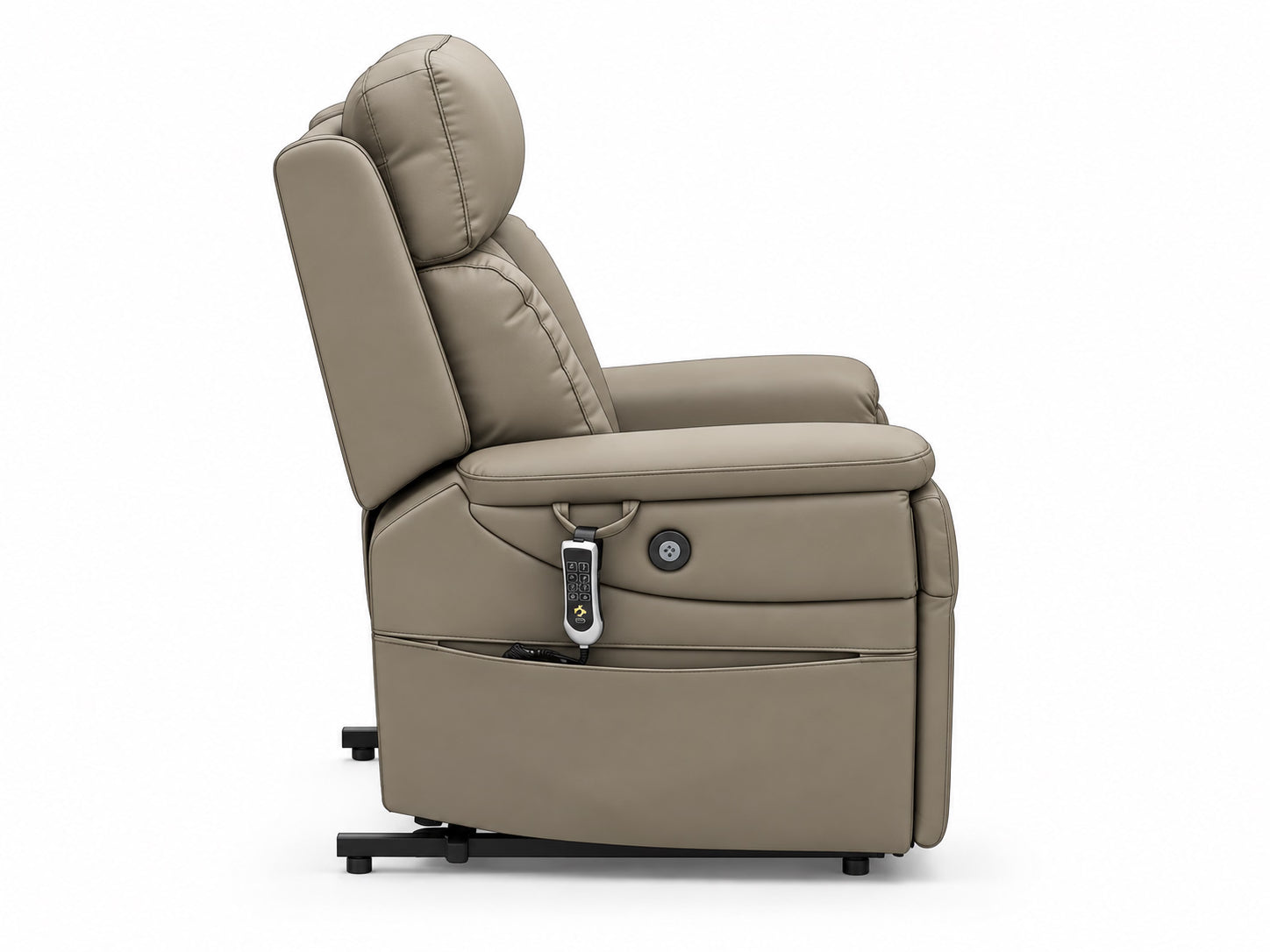
Sit
Settle into the chair for everyday sitting.

See how a lift chair helps with sitting and standing. Explore the features, check the fit and find a design that feels at home.
A powered lift chair helps you move from sitting to standing. Here are its three everyday functions.
Settle into the chair for everyday sitting.
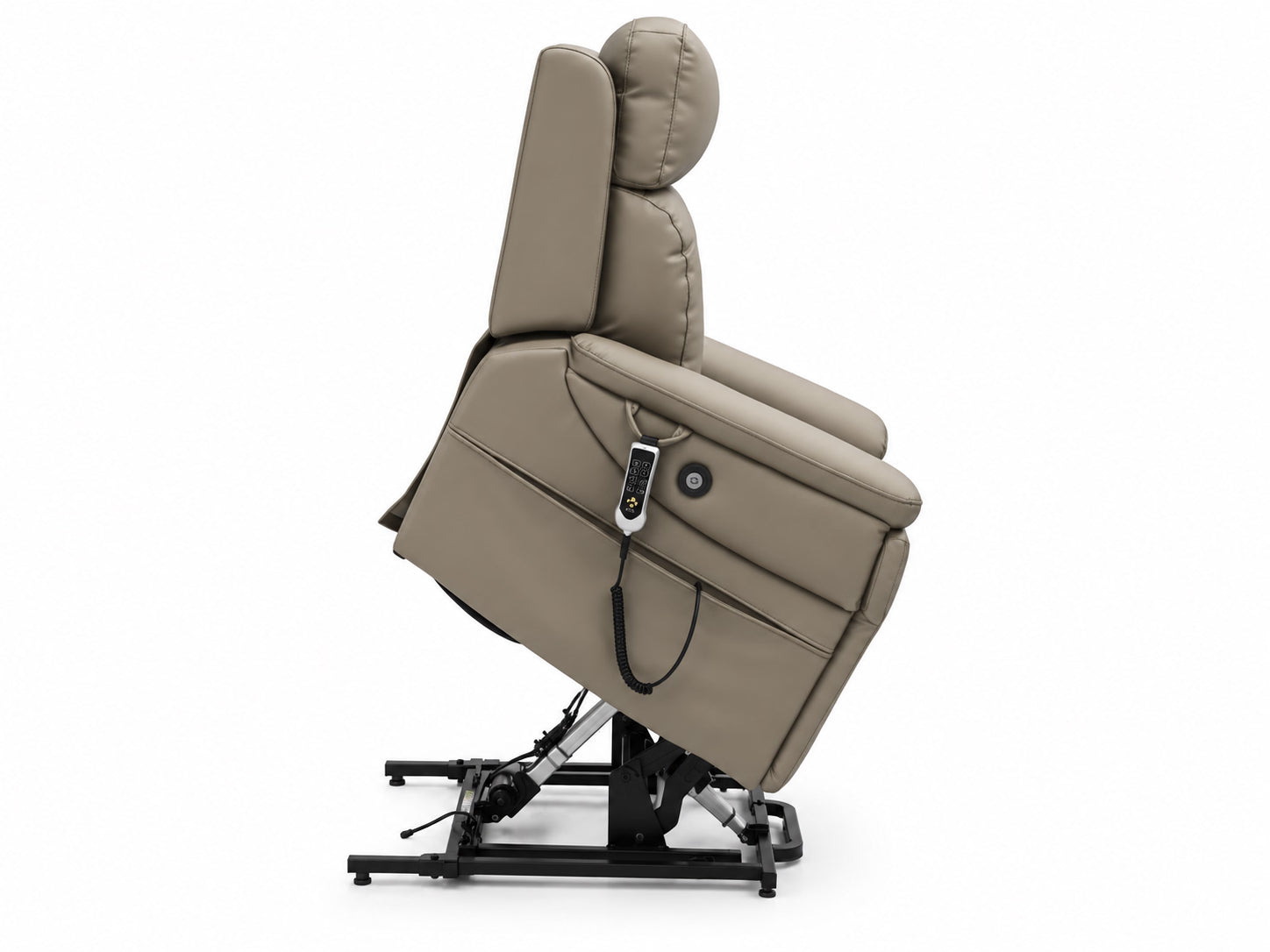
Powered lift assistance raises and tilts the seat forward.
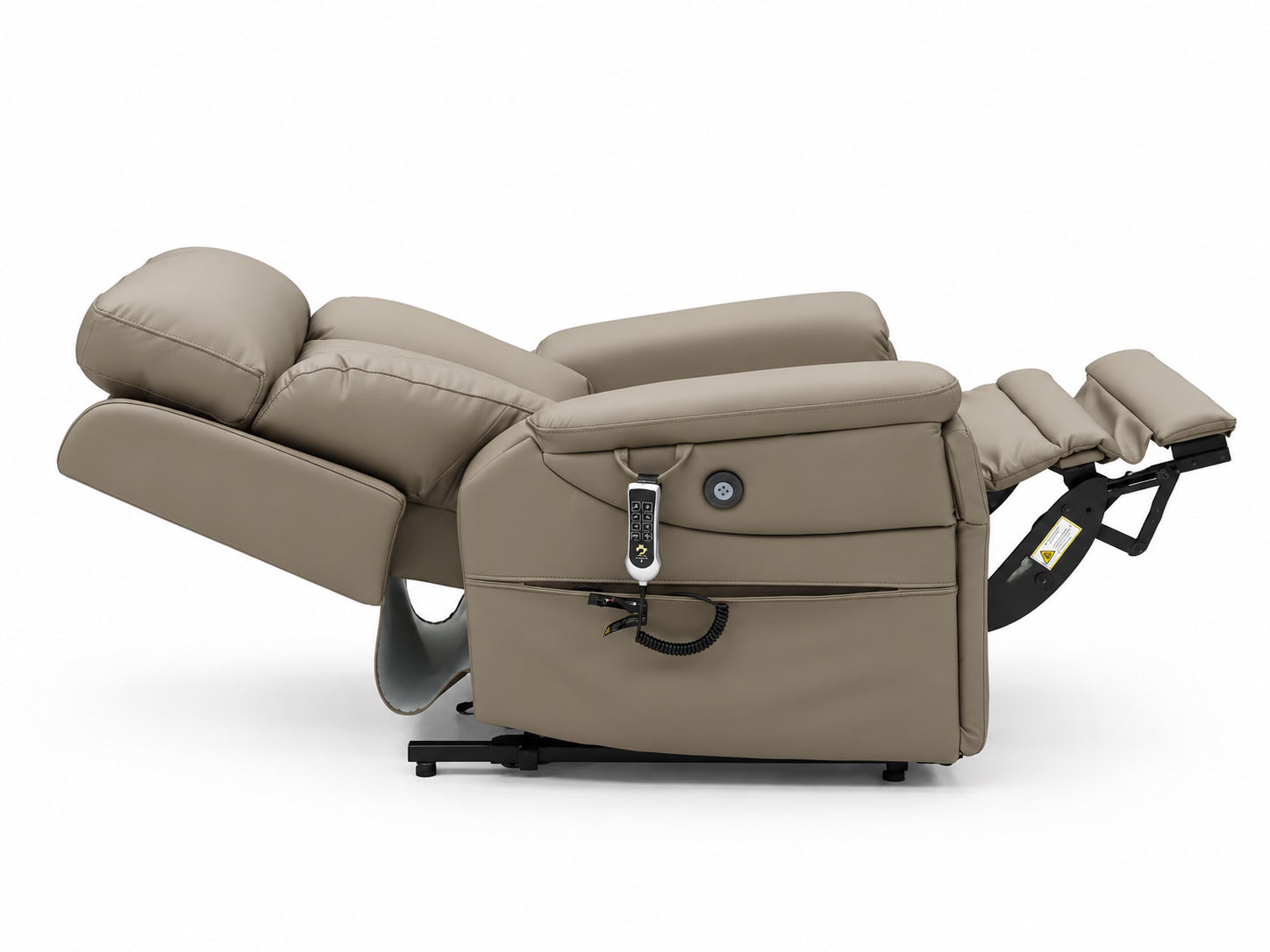
Choose a reclining position that feels comfortable.
The key difference is powered standing assistance.

Helps you stand. Its powered mechanism raises and tilts the seat forward. It also supports sitting and reclining.
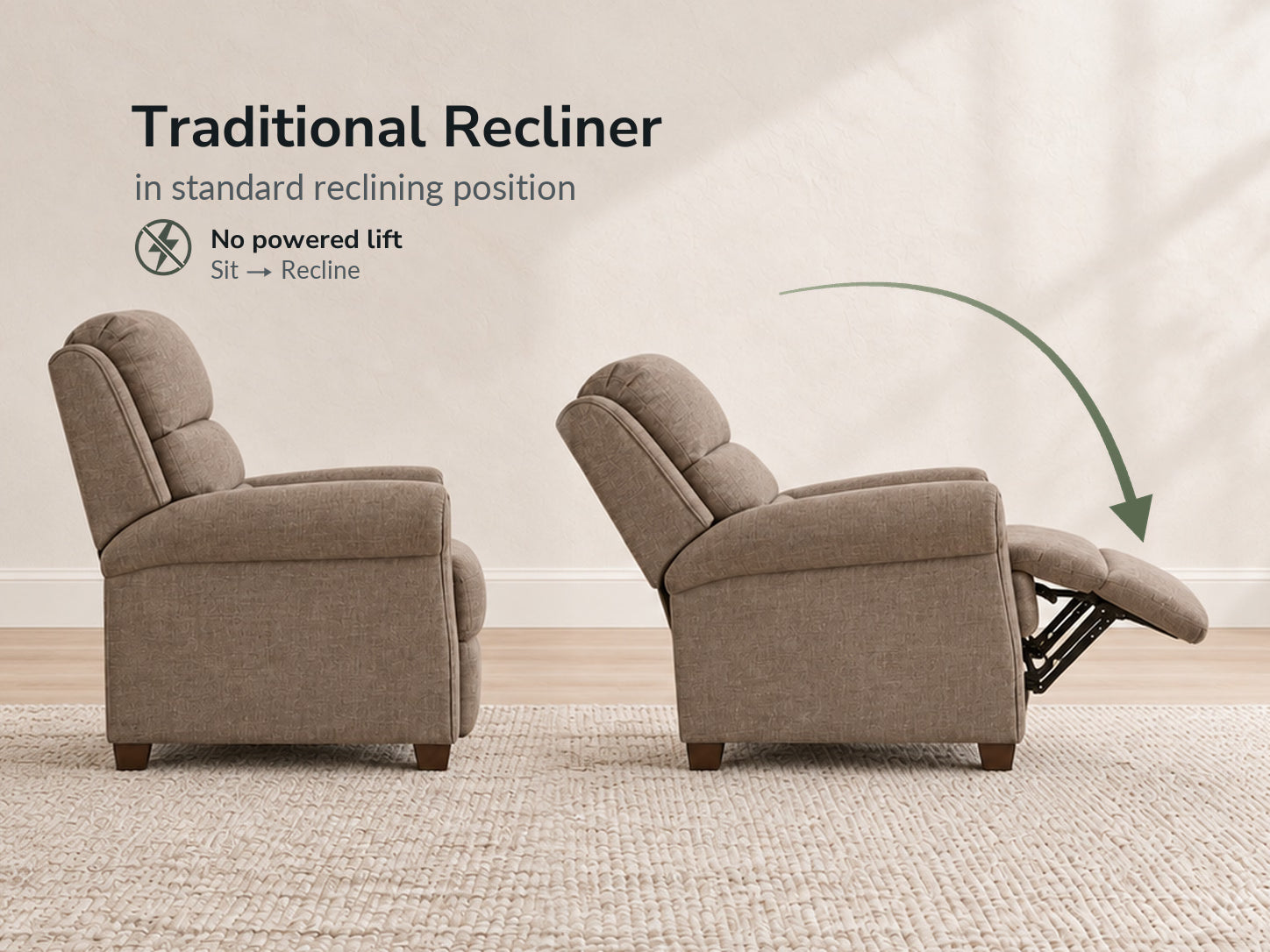
Helps you recline. It does not provide powered standing assistance as a main function.
In short: lift chair = sit, stand and recline. Traditional recliner = sit and recline.
Start with standing assistance, then explore how the chair can be adjusted for everyday sitting and rest. Available features vary by model.
The chair assists the move from sitting to standing by lifting and tilting the seat forward.
Change the chair’s position for everyday sitting and rest. The adjustments offered depend on the model.
On models with an adjustable headrest, change its position to support your head while sitting or reclining.
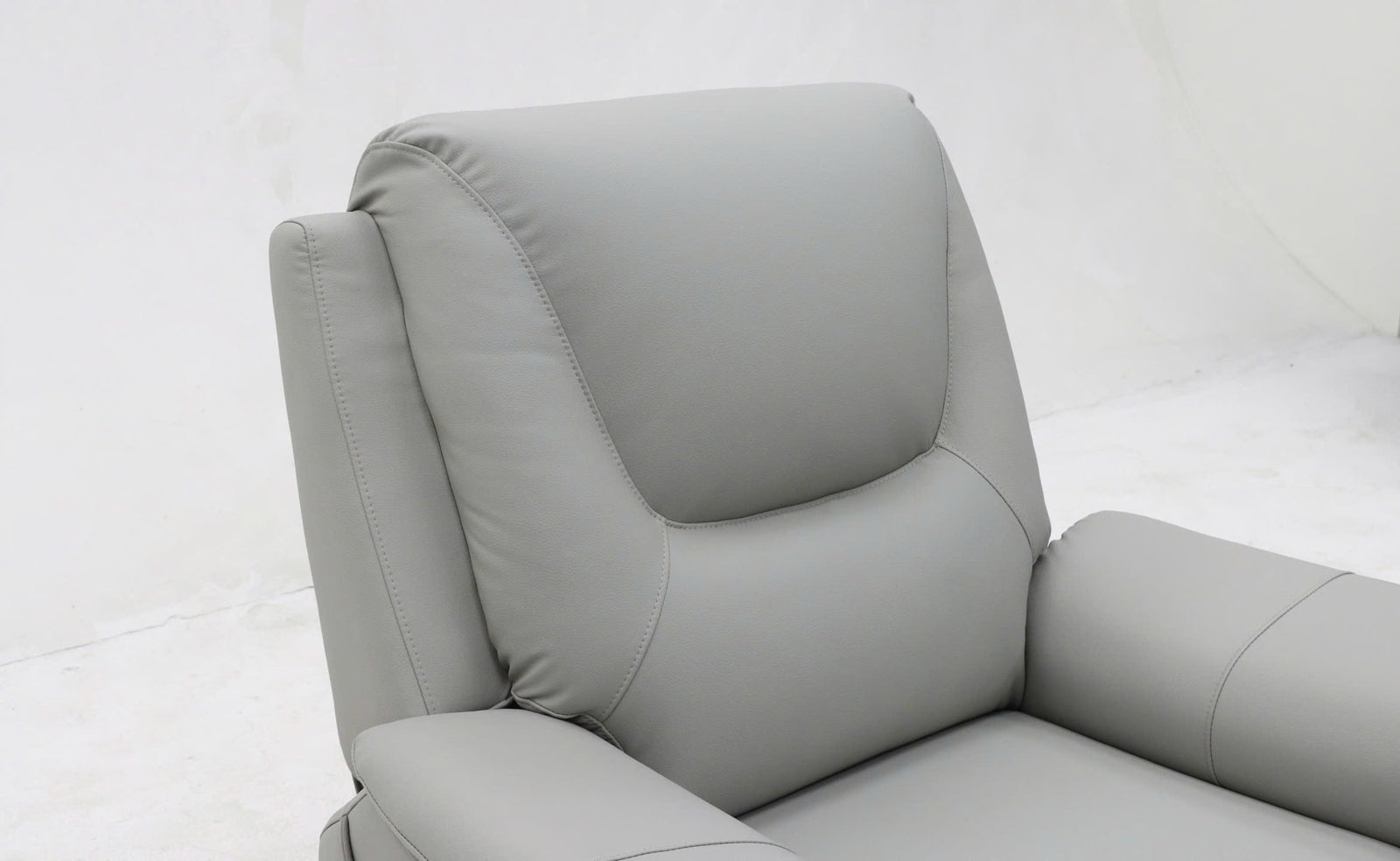
Supports the lower back. Power lumbar uses a motor; pneumatic lumbar uses an inflatable air chamber.
Some models offer a heated seat or air-chamber massage for added comfort while sitting or resting. Check each model’s product page for available features.
Qi-compatible wireless charging is available on Elevation. Compatible magnetic accessories may also be available; check the options listed for your model.
Explore Accessories →Battery backup is available on Elevation, Rise, Ascend and Highland only. Check the product instructions for supported chair movements during a power outage and battery-use requirements.
Not every feature is available on every chair. Check the individual model’s product page for its confirmed features and adjustment options.
What do 2, 3 or 4 motors mean? Motor count alone does not tell you which parts move independently. Check each model’s product page for available movements.
A range of positions is different from a named reclining position.
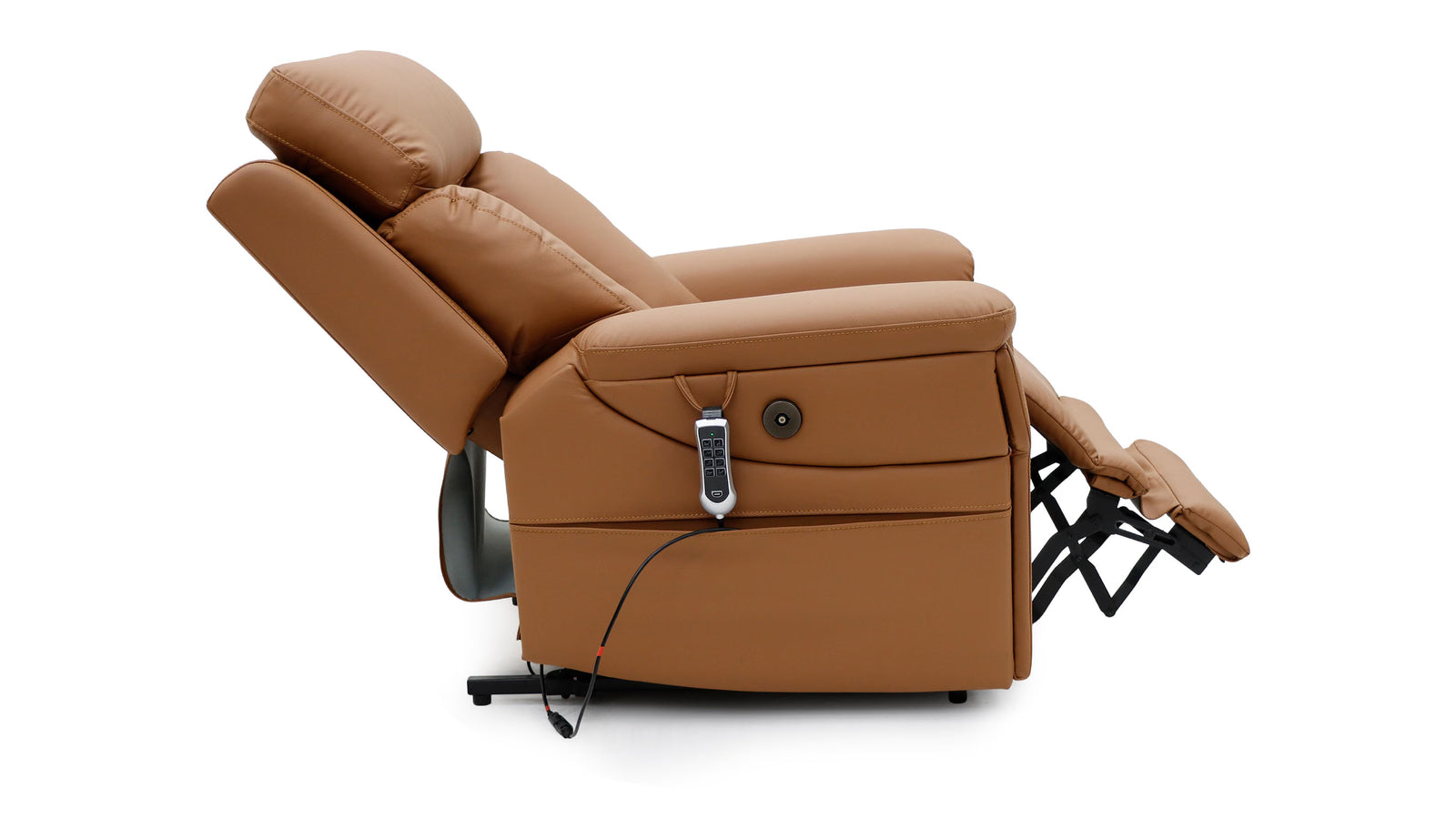
Many positions. A range of adjustable seating and reclining positions, rather than only a few fixed presets.
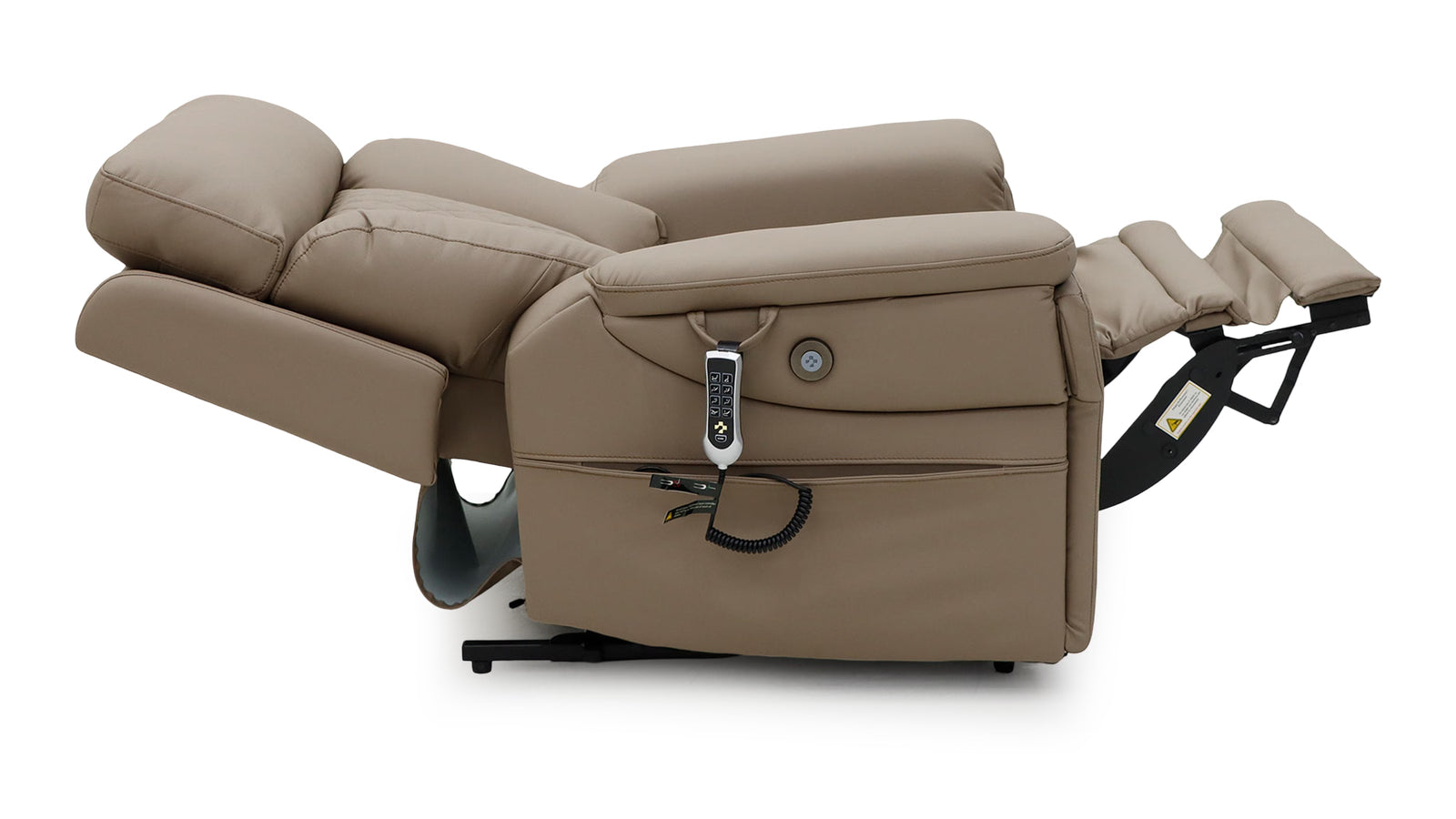
A particular reclined posture. The back and legs are positioned at angles defined by the chair’s design.
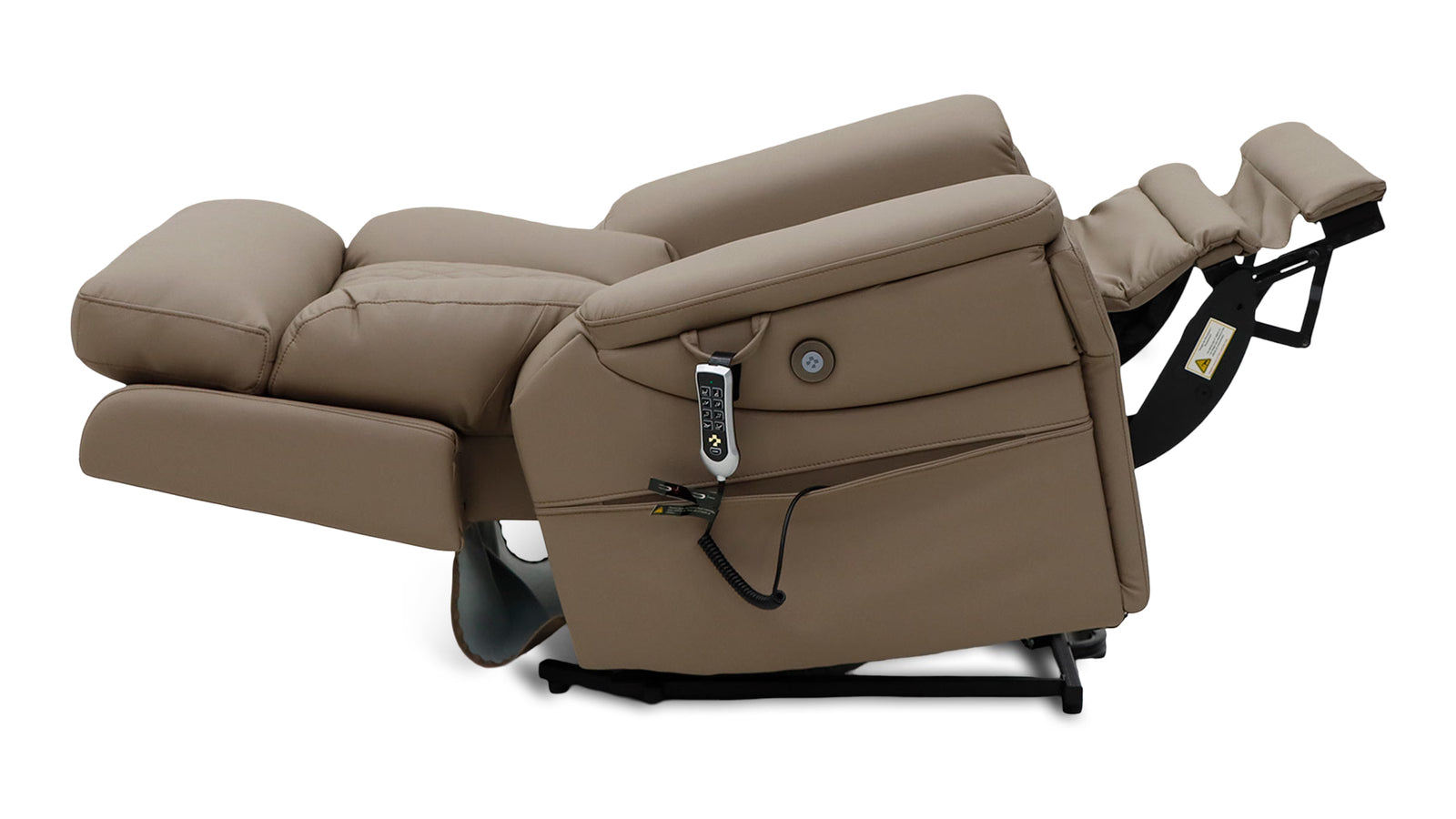
Head lower than legs. The legs are elevated higher than the head.
Check how your feet, back, legs and arms fit the chair.
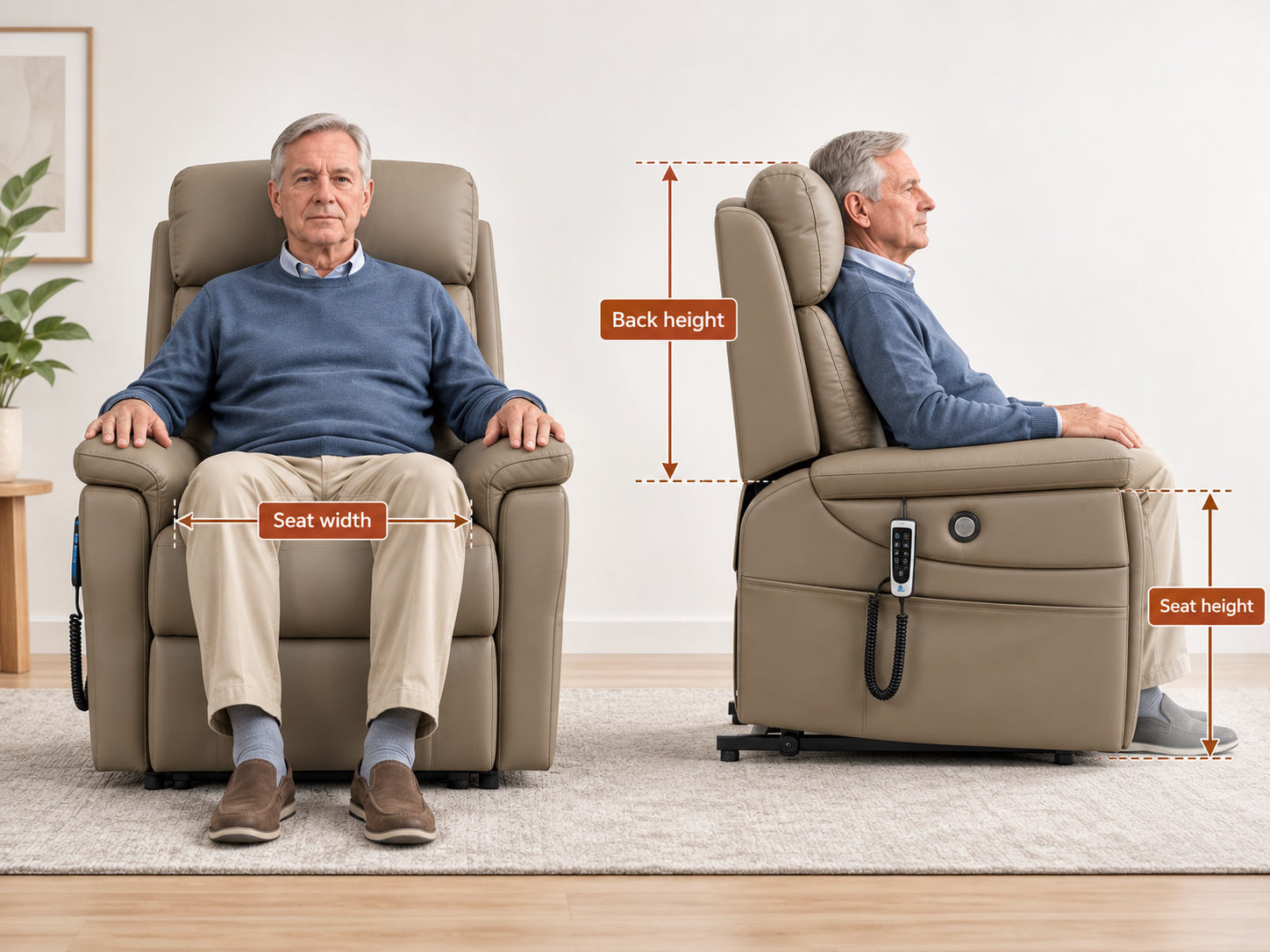
Seat height: From the floor to the top of the seat. Your feet should reach the floor.
Back height: From the seat to the top of the backrest. Your back and shoulders should feel supported.
Seat width: The sitting space between the armrests. You should have room on both sides.
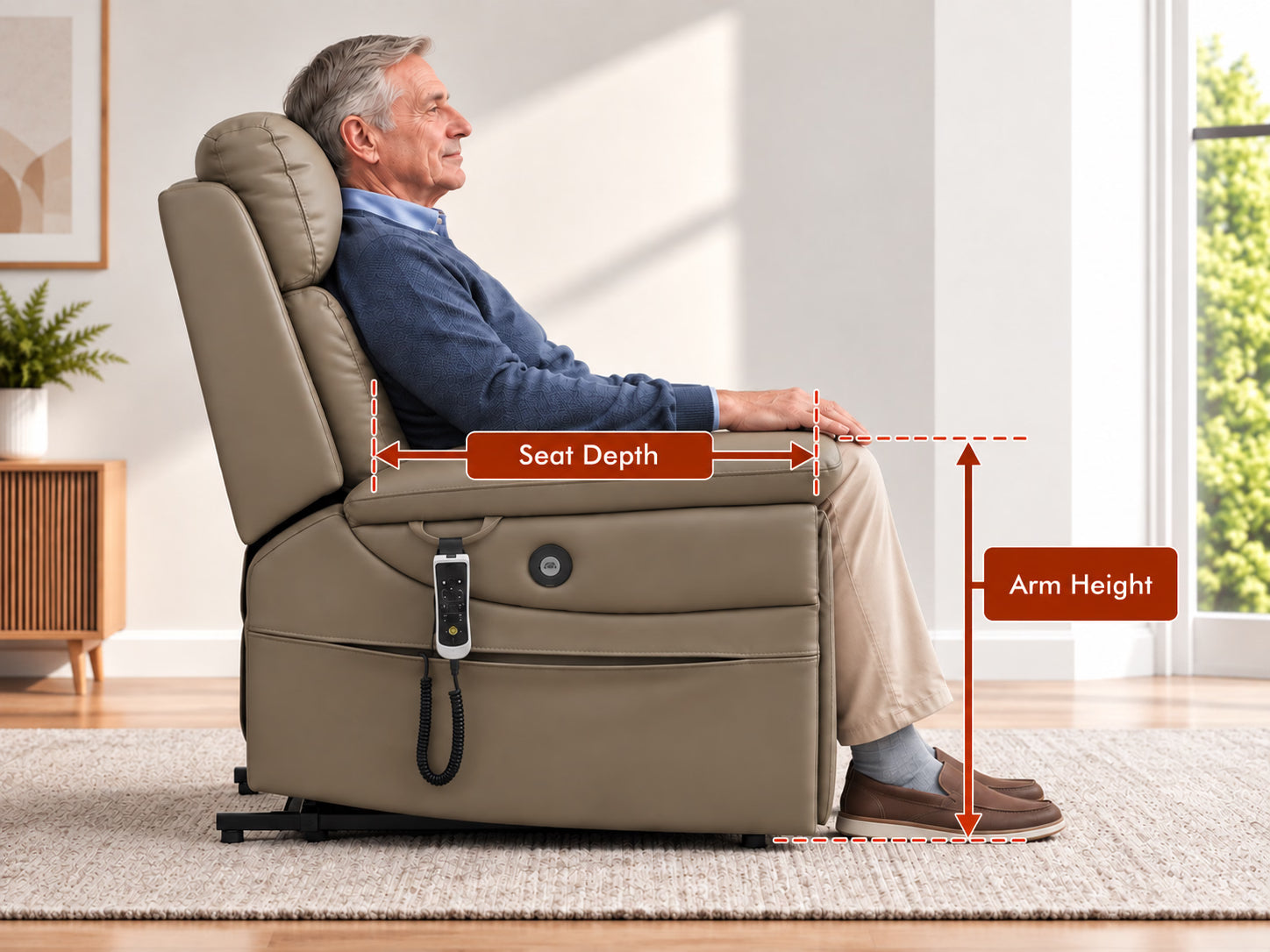
Seat depth: From the front of the seat to the backrest. Sit back with a little room behind your knees.
Arm height: From the seat to the top of the armrest. Your arms should rest without raising your shoulders.
First check the chair’s size. Then check the space it needs to move.
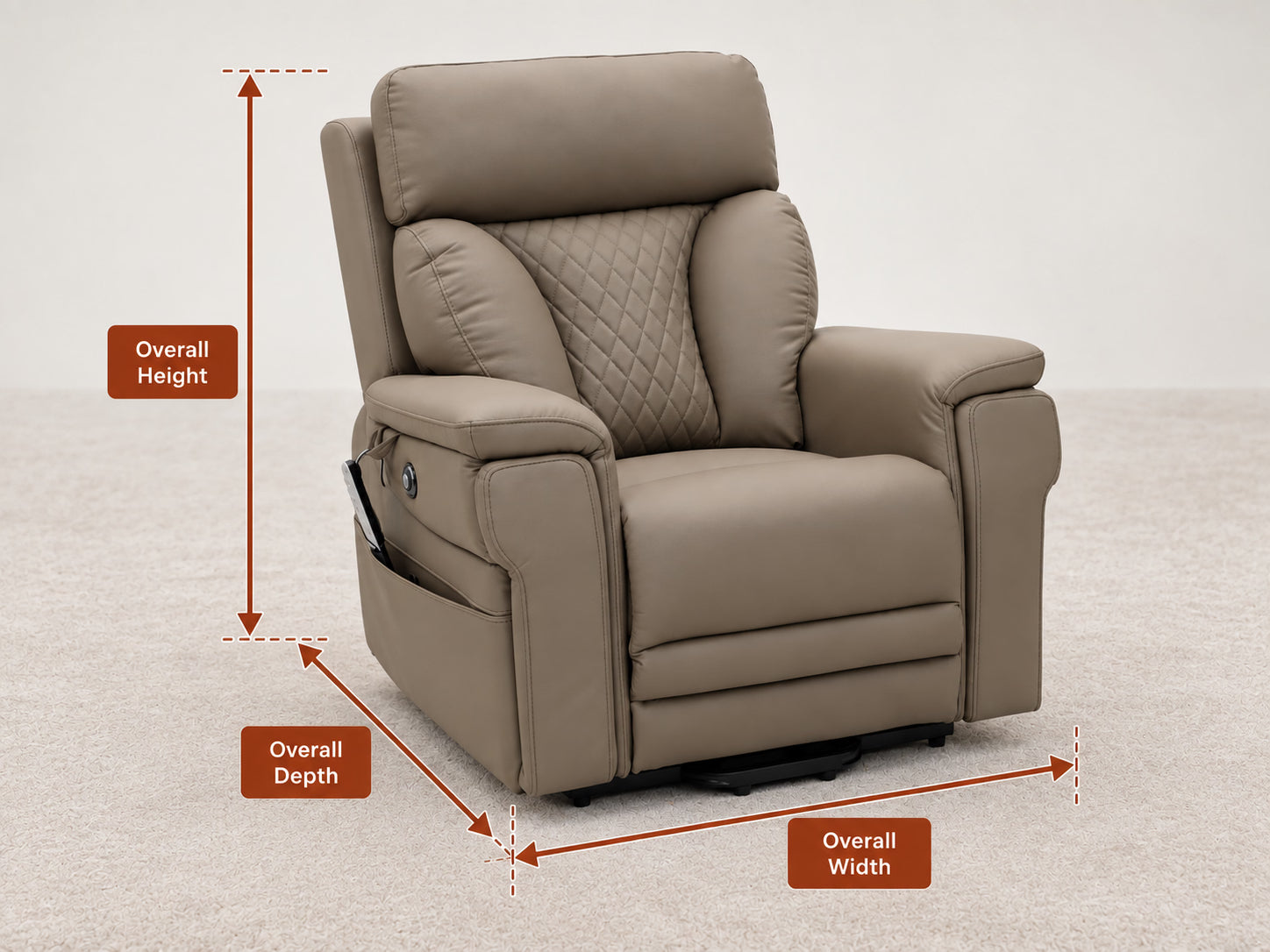
Overall width: The chair’s full side-to-side size, including both armrests. Check doors and hallways.
Overall height: The full height from the floor to the top of the chair. Check your room.
Overall depth: The chair’s front-to-back size when upright. Check where it will sit.
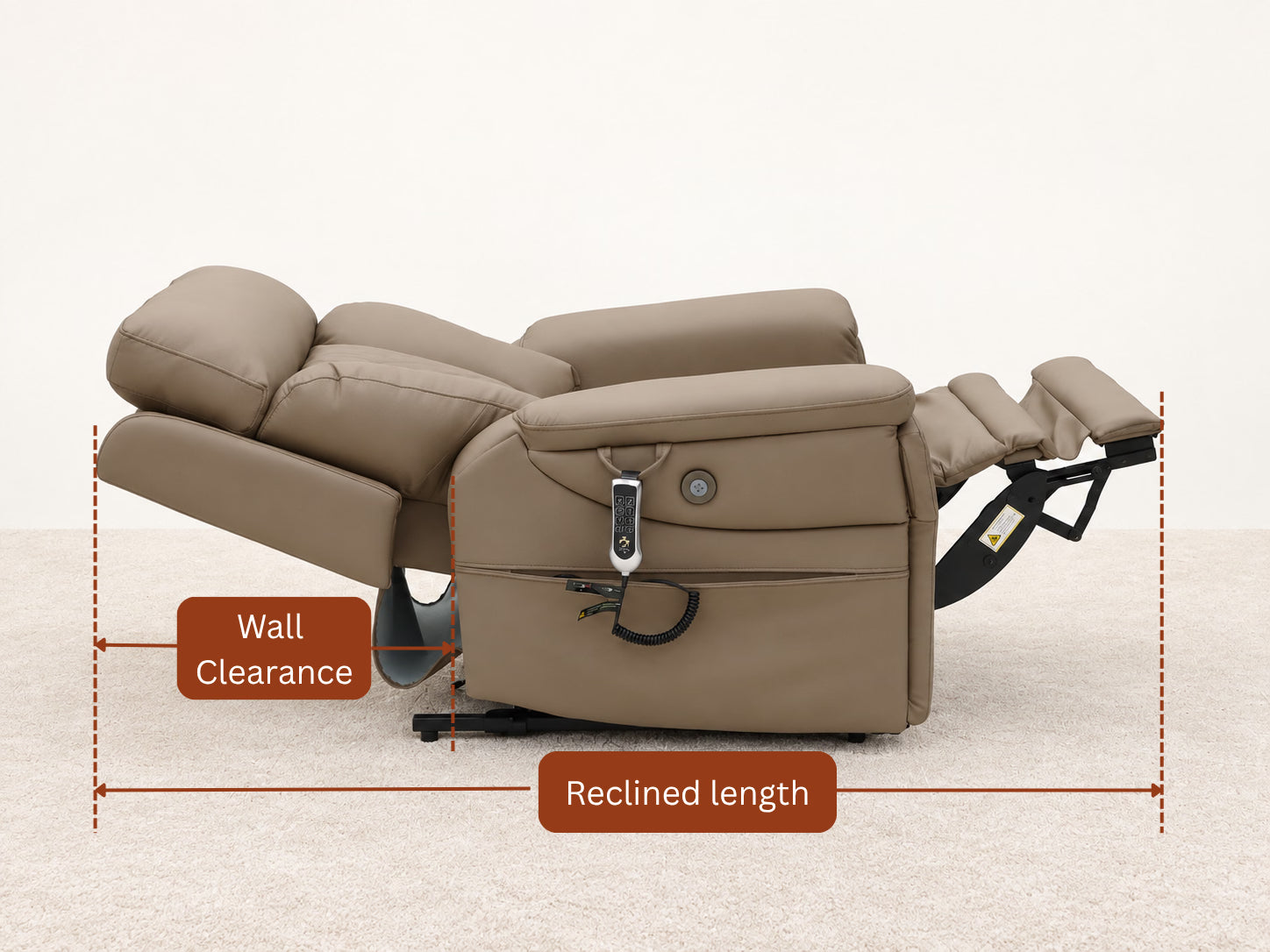
Wall clearance: The empty space needed between the back of the chair and the wall while it moves.
Reclined length: The chair’s full front-to-back length when the back and footrest are extended.
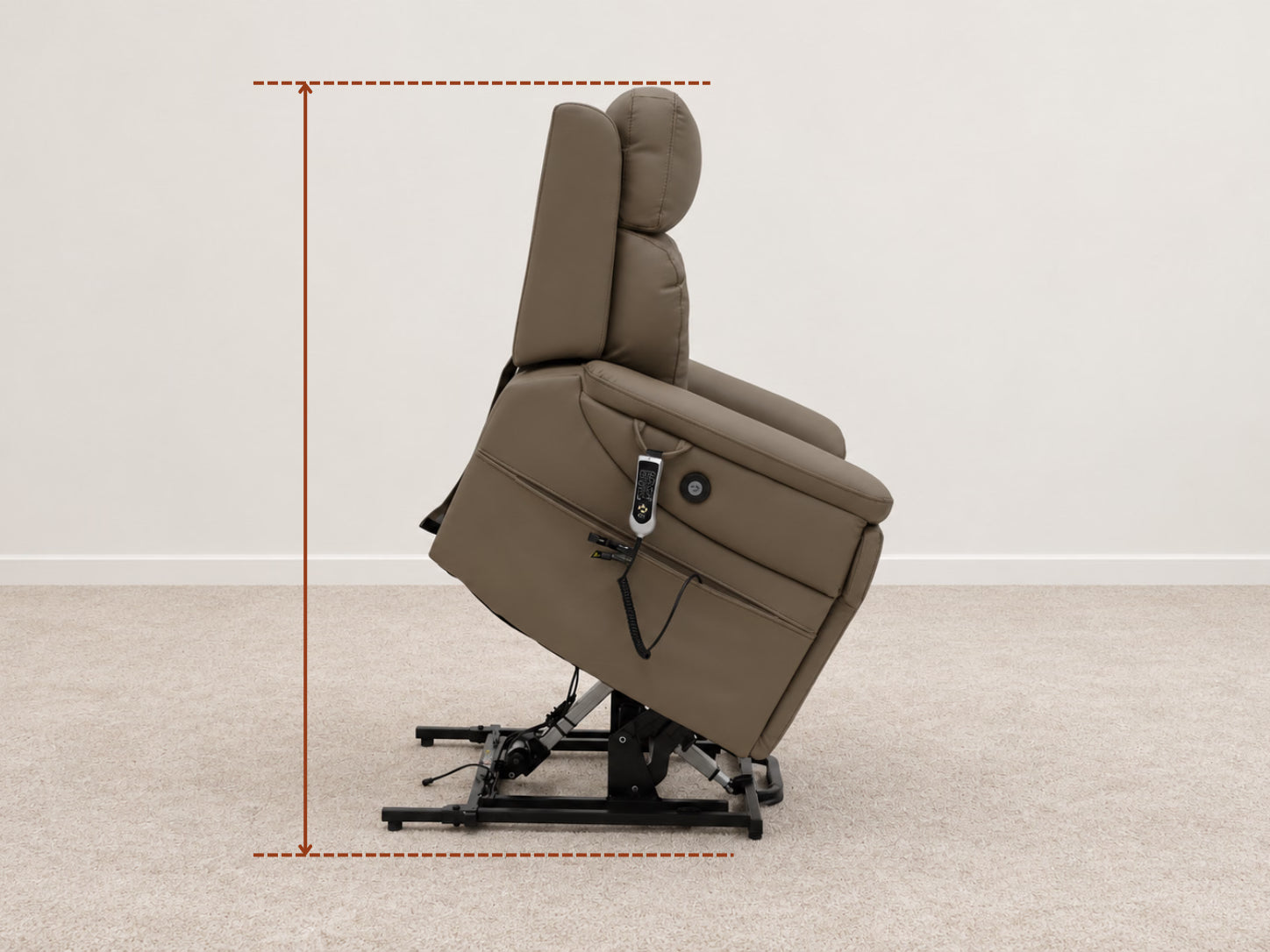
Allow room for the seat to rise and tilt forward. Keep the area in front of and around the chair clear.
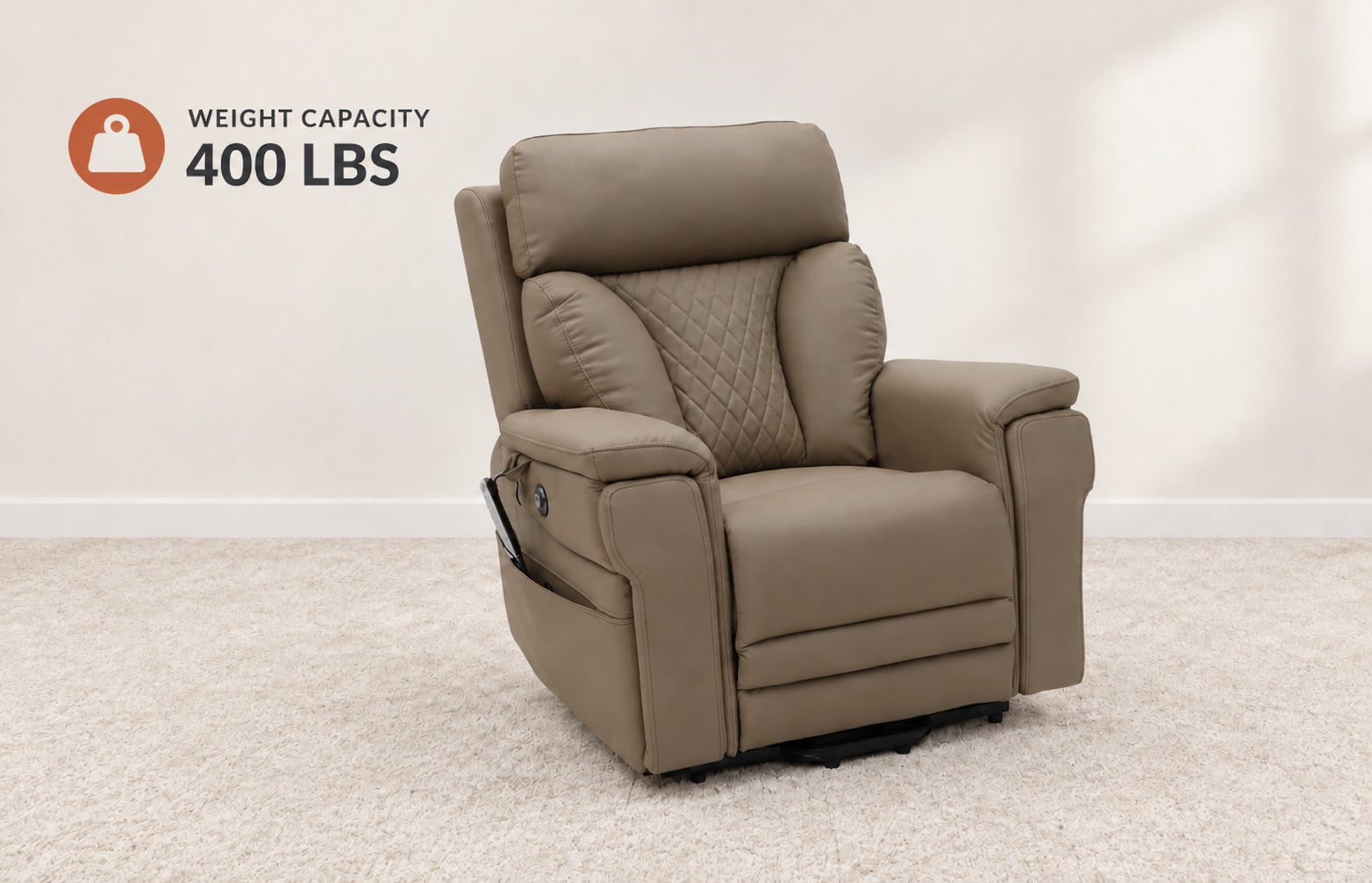
Weight capacity: The maximum user weight the chair is designed to support. Check the limit for the model you choose.
Capacity shown is an example. Each model lists its own weight capacity.
See each model’s weight capacity →Optional caster wheels: If you need to reposition the chair, check whether caster wheels are available for your model and follow the installation and use instructions.
Lift safety: Follow the model’s instructions. Keep children, pets and objects clear of moving parts. If a model includes pinch-protection features, check its instructions for how they work and their limitations.
Find a finish that suits your chair and your living space.
Explore the colours and fabrics available for the chair you are considering. Request physical swatches to see the texture and colour in your space.
Request Fabric Swatches →Experience a chair at a convenient location, where our Mobile Showroom service is available.
In selected service regions, we can bring a chair to a suitable location that is convenient for you — whether you live at home or in another residence. Contact us to discuss a location and arrange a visit, subject to availability and permission.
Explore the Mobile Showroom →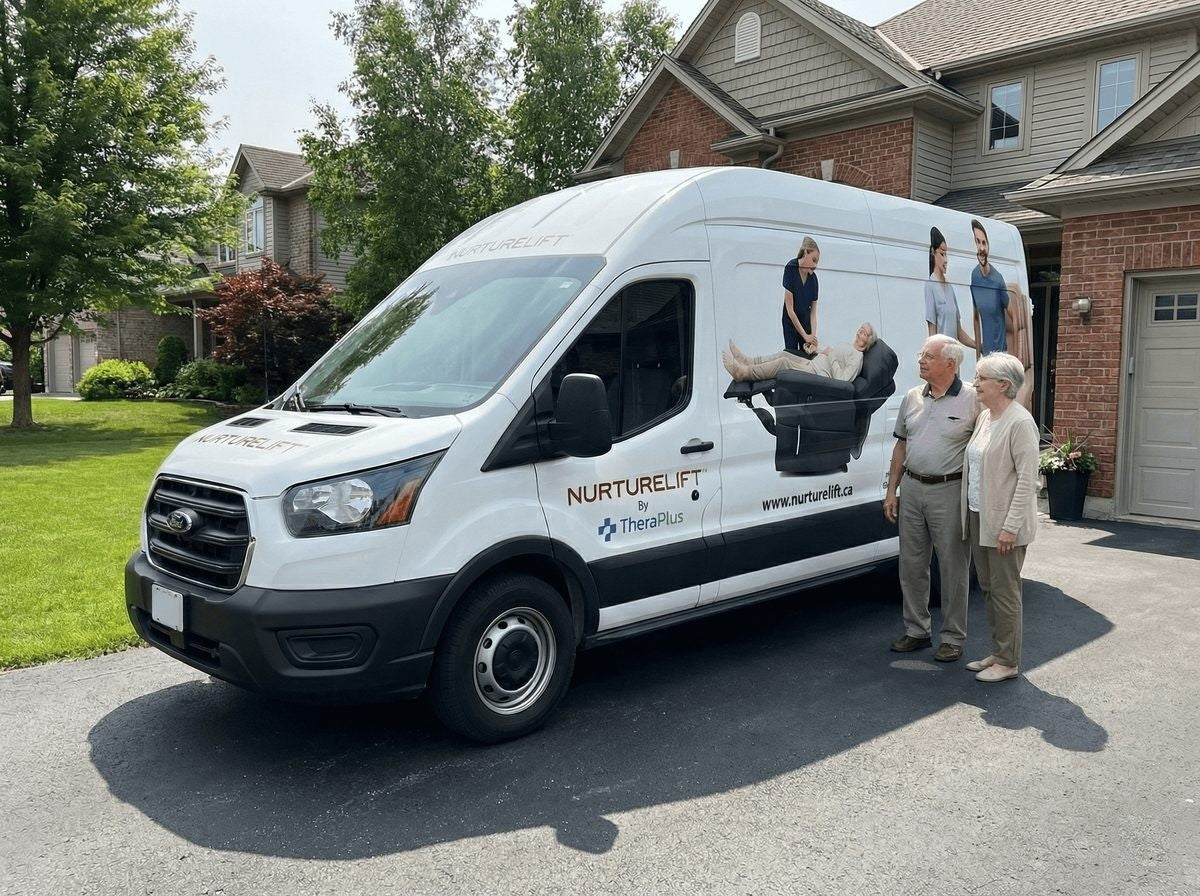
Check the product price, delivery cost, taxes and support before ordering.
View current prices on each product page. Prices may vary by region. Your price will be confirmed before checkout.
Explore chairs & prices →Delivery is available across Canada. Charges vary by address and selected service. Review your charges before checkout.
Delivery details →Some purchases may qualify for 0% GST/HST when the required conditions are met.
Tax Zero-Rating Guide →Review the warranty and support information for the chair you are considering.
Warranty & Support →Review these points before choosing your chair.
Leave your number and a NurtureLift advisor will call you back shortly.
Callback hours (Montréal time): Mon–Fri 9am–6pm, Sat–Sun 10am–3pm.
An advisor will call you back shortly.

